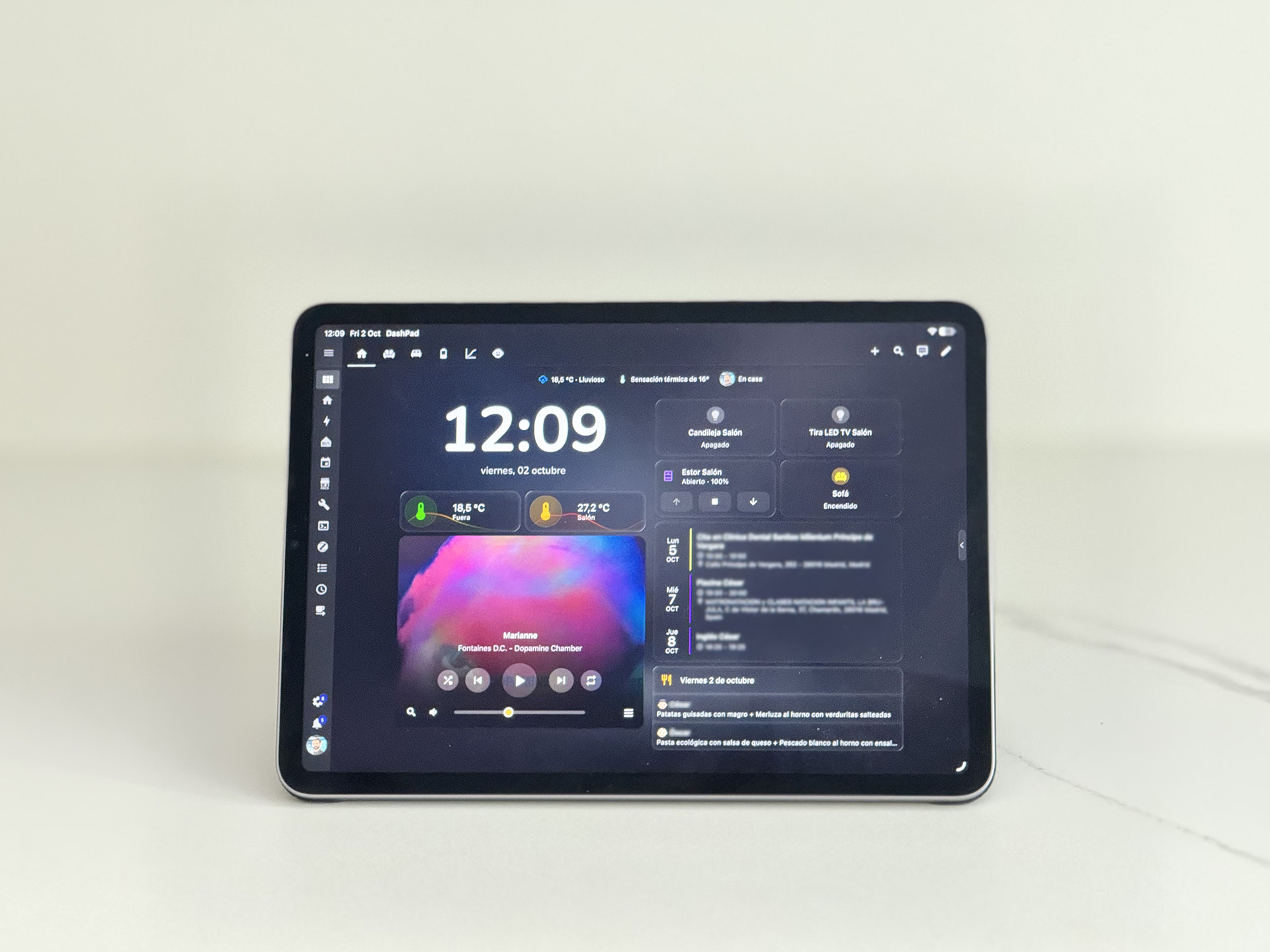
You've probably heard the rumour about Apple launching the "HomePad": a screen that lives in your home, shows your smart home at a glance, and knows when someone is standing in front of it.
Good news: you might already own one. It's the old iPad you stopped using a couple of years ago 😃.
OK, not quite. But let me tell you about the app I built.
Starting From Scratch
Most people get into the smart home rabbit hole one smart bulb at a time. I got into it because I had the perfect opportunity to start fresh: we fully renovated a house. But I knew nothing about smart homes.
This meant I had to learn about the protocol craziness, watch dozens of YouTube tutorials, and spend days on Amazon and AliExpress looking for devices. I ended up where everyone seems to end up: Home Assistant. And I love it!
Months later I had relays behind the switches, blinds that roll up and down automatically, appliances that talked to each other, and a bunch of cool automations. All following a single rule: the house had to also work as a dumb house. The final touch was a modern-looking dashboard accessible from all the family devices. But without a permanent location in the house.
An Old iPad and Three Bad Options
If you want to use a tablet as a dashboard the HA community is pretty clear about this: buy a cheap Android tablet and use Fully Kiosk. But I already had an old iPad, working and unused, and buying new hardware to do a job it could already do felt wrong. On iOS, though, there was no easy way to turn it into a dedicated display.
I could either leave it on all day, glowing in an empty room all night. I could pay for an iOS kiosk app, but most are quite expensive as they are built for retail displays. Or I could do it the proper Home Assistant way: a presence sensor, an automation, and a notification sent to the iPad so the screen turns on. That works, but seemed overcomplicated.
The iPad has a front camera, why not use that instead?
Watching Without Watching
So I decided to build my own kiosk app, using the camera as a built-in presence sensor.
The obvious approach would have been to run the video from the front camera non-stop, process each frame locally using Apple's Vision framework to see if there is a person in front of the iPad or not. However, that meant a lot of processing, the camera light turned on all day, and basically a surveillance machine instead of a home dashboard.
The solution was:
Photos, not video. Nobody walks into a room in less than a few seconds, so the app doesn't need a feed. It starts the camera, waits for exposure to settle, takes one video frame and shuts the camera down. The camera is on for a couple of seconds per check, and all locally processed images are discarded automatically right after. That alone fixed most of the power problem, and the indicator now blinks briefly instead of staying on. It looks like what it is: an occasional check.
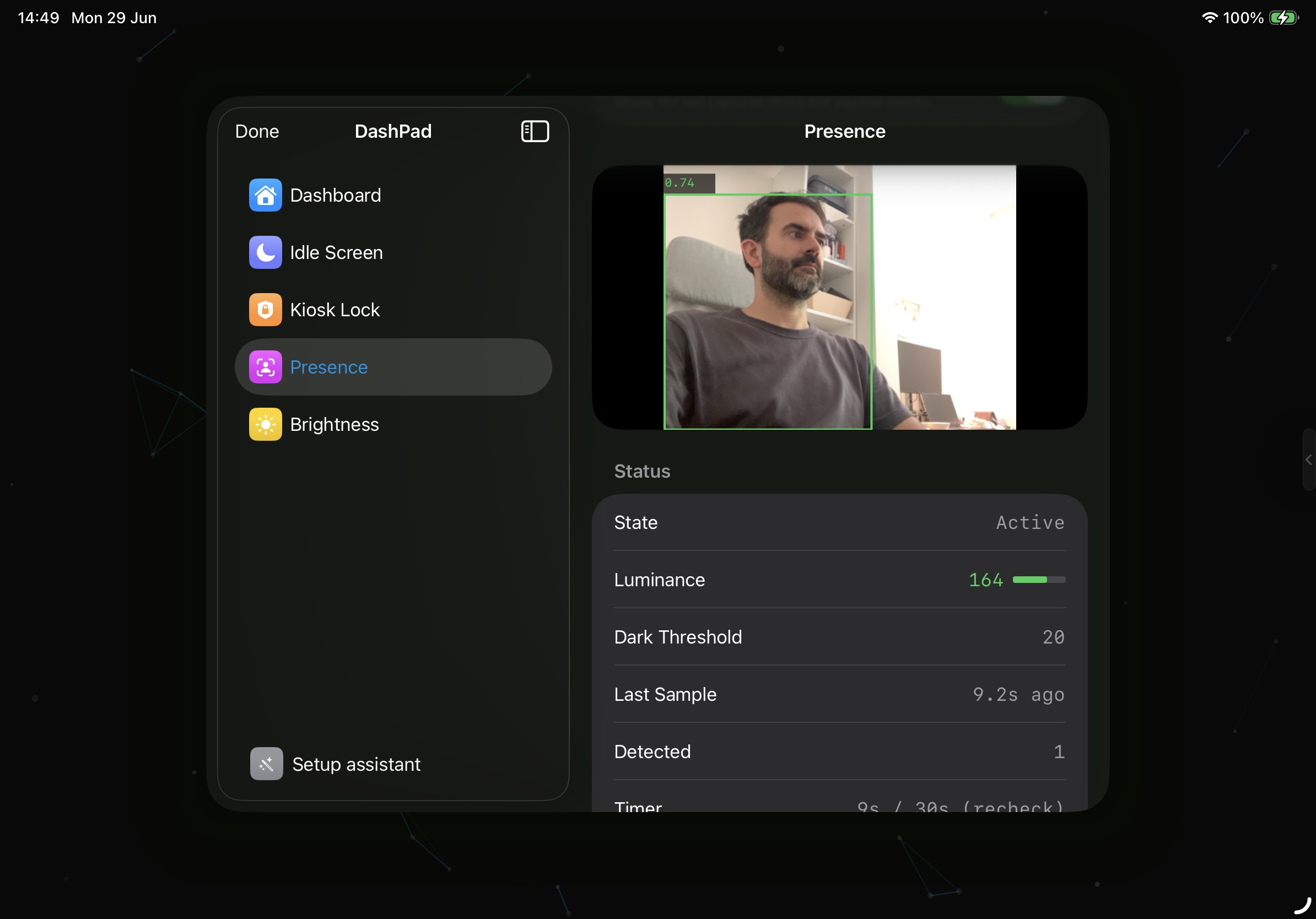
The Presence screen: the last frame checked, how bright it was, and the threshold below which detection doesn't run.
Figure out when it is dark. The first thing the app does with each frame is measure its brightness. If the room is dark, no detection runs, and the app checks much less often until the lights come on.
The Trust Problem
When I showed it to friends and other Home Assistant users, I realised there were more old iPads in drawers than I would have expected. iPads are great, and even though people keep them for many years, they end up being replaced by a faster and more modern one. But repurposing the old one was exciting! That is when I started thinking about releasing it, and the hard part turned out to have nothing to do with code.
I would be asking people to install an app from a developer they had never heard of and leave it running at home with the camera pointed into the room. "Everything stays on your device" appears in every App Store description, but who trusts that? And Home Assistant users chose to run their own setup precisely so they would not have to trust someone else's cloud. My word was never going to be enough.
So I made two decisions.
No trackers at all. No analytics, no crash reporting, no performance monitoring. If anything leaves the device, even something harmless, we're back to "trust me". So the only network traffic the app makes is loading the page you gave it. And if I want to know how people use it, I'll have to ask them.
The code is public. Anyone can read what the camera pipeline does: a photo is taken into memory, measured, checked for a person and thrown away. Nothing saved, nothing logged, nothing uploaded. This also means that you can download it and build it yourself, improve it, contribute to it or use it for a personal project.
Where It Is Now
DashPad has been on the App Store for two months. I posted it on r/homeassistant, the response was much better than I expected, and more than sixty people have bought it since, almost all of them from that one post. The source is on GitHub and free for personal use. The App Store version is for people who would rather not build it themselves.
If you have an old iPad doing nothing and a dashboard stuck in a browser tab, that is exactly who I built it for.
The DashPad website.
You can find out more on the DashPad website. And if you try it, I would love to hear your feedback: what works, what doesn't, and what you would like it to do next. Write to me at dashpad@rafapages.com.